
Red River County Court Docket Searches
Begin with whatever paper started the case. A citation, notice, pleading, or prior court order will name the court, and that name tells you which Red River County office holds the record. Felony, family, and district civil filings go through the Red River County District Clerk. Misdemeanor and probate work sits with the Red River County Clerk. The Justice of the Peace courts and each municipal court keep their own dockets. That split is the trap. The official county pages point to no single database that indexes every Red River County court docket at once.
For a broader docket search, try re:SearchTX, the state portal for eligible case and hearing data. Bring a party name, a rough filing date, and the court level. A cause number works even better. Coverage shifts with case type, user role, confidentiality, and local integration, so treat a blank result as a reason to call the clerk. It is not proof that no case exists.
- Copy the court name and cause number from the source document.
- Search cases and hearings in re:SearchTX using the narrowest reliable details.
- Check the court, parties, filings, and settings on the matching result.
- Use the official county court page to identify the correct local clerk.
- Ask that clerk to confirm a date or issue any certified copy.
Four Red River Docket Keepers
Red River County splits its record keeping across offices. That structure is the central fact behind a sound docket search. District-court files belong to the District Clerk. The County Clerk keeps the constitutional County Court docket, probate, misdemeanors, and the listed official records. The Justice of the Peace handles its own matters. Municipal courts handle city cases. Send a request to the wrong office and you may get only a referral, plus delay.
The County Clerk draws its boundary plainly. Its official page says that office does not handle traffic tickets, felony cases, divorces, child-support cases, or property taxes. Traffic questions begin with the issuing court. Felonies, divorces, and district family files begin with the District Clerk. When you contact staff, name the court and the record type. A requester who does that gives clerks a far better starting point than a broad, name-only demand.
District ClerkDistrict civil, family, felony, and other district-court records. County ClerkCounty Court misdemeanors, probate, and separate official public records. Lower-court clerkThe JP or municipal office that issued and maintains its own case.
Court Dockets: What They Show
A docket, or register of actions, is the event index for a case. It is not always the full file. Entries on re:SearchTX show case descriptions, numbers, types, parties, and attorneys. They also cover judicial officers, filings, documents, and hearings. A local posting may list only the court. It may give just the docket date, the time, and the location. Read each field for what it truly is. A setting is not a judgment. A filed item does not prove the judge granted it.
| Case Number | The court's cause number, the best key for a precise follow-up request. |
|---|---|
| Parties | Named participants, subject to privacy rules and spelling variations. |
| Docket Entries / Filings | A dated log of documents and court activity, not always the document image. |
| Hearing Settings | Scheduled events that can later be reset, continued, or cancelled. |
| Court & Judge | The court assignment and judicial officer shown by the source. |
| Disposition | The recorded outcome when one exists and is public. |
re:SearchTX for Red River Cases
The statewide portal keeps case searches separate from hearing searches. Its quick-reference materials describe a Search By control. They also cover Cases and Hearings choices, advanced search, sorting, case details, filings, hearing data, saved cases, alerts, sharing, exports, and a document cart. Those tools help narrow a Red River County court docket. None of them promises a public guest that every local file or image will appear.
Handle name searches with care. Start with the full known spelling. Then try a narrow alternate if the first pass comes up empty. Before treating a result as a match, compare court, case type, parties, and dates. Registered features and document purchases are separate from basic public searching. Availability can shift, so confirm what the portal shows when you visit.
| Portal control | Use |
|---|---|
| Cases / Hearings | Choose whether the target is a case record or a scheduled event. |
| Search By | Select the identifier supported by the current interface. |
| Advanced search | Add filters to reduce false matches. |
| Case details | Review parties, filings, officers, and hearings together. |
Red River County Courts and Their Dockets
The Sixth and 102nd District Courts serve Red River County at the main trial-court level. A separate constitutional County Court handles its own county jurisdiction. The countywide Justice of the Peace and municipal courts cover lower-tier matters. Each acts within its own authority. The official Texas trial-court overview explains how the layers fit together. For current local routing, though, the county pages are the better source.
| Court | Docket Covers | Where to Search |
|---|---|---|
| Sixth and 102nd District Courts | District civil, family, felony, and other district jurisdiction | District Clerk and eligible re:SearchTX records |
| Constitutional County Court | County-level matters, including misdemeanors and probate within its role | County Clerk |
| Justice and municipal courts | JP matters, traffic citations, and city ordinance cases as assigned | The issuing lower court |
Red River Docket or Recorded Instrument
The Red River County Clerk links a system called County Records Online. It searches recorded instruments and deed-index material. It is not a judicial docket database. Its fields let you enter a search term, set from and to dates, apply quick recorded-date filters, and choose between index-only searching and index plus full-text or OCR searching.
That portal fits a deed or similar recorded instrument. It will not serve a civil, criminal, probate, or traffic docket search. The distinction prevents a common dead end. An official county search page can look like it covers every county record. It does not. A court case belongs with the clerk or lower court that maintains the judicial file. A recorded instrument follows the County Clerk's official-record route.
Court Dates and Settings in Red River County
The District Clerk page posts selected district docket dates. re:SearchTX adds a hearing-search path for eligible data. Treat neither as a permanent schedule. The county offers no single full public feed. None covers all district, county, JP, and city courts. Calendar coverage stays partial.
Confirm a setting with the court named in the case. A docket date can move through a reset, continuance, or cancellation. The county Justice page, for instance, carried a notice about a prior debit-claim docket. That docket had been cancelled. The local example shows why a saved screen or an old notice cannot settle whether a hearing still stands. The full Red River County court schedule explains the phone, counter, local-posting, and statewide checks.
When Red River Docket Searches Fail
A search that comes back empty has a few usual suspects. The Red River County record could be sealed. It might sit under a different name or cause number. Or it simply may not have reached the statewide system yet. The case may even belong to a different court within the county. Remember that a hearing search and a case search are separate targets on the portal. One can miss what the other finds.
Go back to your paperwork and confirm the exact court name. Then call that clerk with the cause number. Say what kind of record you want. It helps to ask several things at once. Is the case public at all? Can you search it at a courthouse terminal, or must you put the request in writing or by mail? Will the office mail copies back, or do you pick them up? Hold back private details on a first broad inquiry. Identify the office holding the record before sharing more than it needs.
No match is not a disposition. Only the court or clerk can confirm whether a Red River County case exists, is restricted, or has ended.
Docket Access Under Texas Law
Texas does not promise that every court record will appear online. Access depends on court rules, orders issued in a particular case, privacy statutes, and the type of record involved. The Texas Public Information Act is broad. Yet Government Code section 552.0035 keeps judiciary records governed through court rules and other law instead. Civil court records carry their own openness and sealing framework, which can narrow what a Red River County docket search returns.
Key Rules:
Texas Rule of Judicial Administration 12 sets a framework for access to judicial records.
Texas Rule of Civil Procedure 76a addresses openness and sealing of civil court records.
Texas Government Code section 552.0035 distinguishes judiciary records under court rules and other law.
Red River Dockets and E-Filing
eFileTexas handles electronic filing for participating Texas courts. It is not a public docket search by another name. A filer picks an electronic filing service provider, selects the court and filing type, sends the document envelope, and then tracks whether the clerk accepted it or sent it back. Status details live in the filer's account, where a public guest may never see them.
Submitting is not the same as acceptance. The accepted envelope and its timestamp are what count. Texas materials also steer self-represented filers toward Guide and File and legal-help resources, and the County Clerk states plainly that staff cannot give legal advice or prepare papers. One more caution applies to Red River County. An accepted electronic filing does not guarantee a public online image afterward. Search access, filing access, and the clerk's official file are three separate layers.
How the Clerk Keeps Docket Records
District cases live with the Red River County District Clerk, 400 N Walnut St., Clarksville, Texas 75426, reachable at 903-427-3761. The County Clerk sits at 200 N Walnut St., Clarksville, Texas 75426, and answers at 903-427-2401 for records in that office's scope. County offices generally run Monday through Thursday. The County Clerk also notes that anything arriving after 4 p.m. files the next business day. Check the current page before you drive over.
Red River County District Clerk
400 N Walnut St.
Clarksville, TX 75426
903-427-3761
Red River Docket Copies Need Details
For misdemeanors and probate, the County Clerk publishes a request form built around known-record details. It wants a cause number, the defendant or deceased person, the document type, your contact information, how many copies, whether you want certification, and payment. Non-certified copies run $1 per page. Certified copies cost $1 per page plus $5 per document. Check the separate current fee file before sending money, since the form's figures may not be the last word.
The District Clerk posts a fee schedule effective January 1, 2022. Rather than guessing at district totals, call the clerk, describe the exact item, and ask for today's copy and certification price. Mail requests should carry whatever identifiers the office requires plus a return method. A certified copy has to come from the office holding the original record.
| Request detail | Why it matters |
|---|---|
| Court and cause number | Locates the correct file. |
| Exact document | Limits page count and search ambiguity. |
| Plain or certified | Changes the product and fee. |
| Delivery choice | Clarifies pickup or mailing needs. |
Red River Courthouse Source Check
The official Red River County home page is the hub for county offices and current notices. It shows the routing a visitor follows to reach county court information.
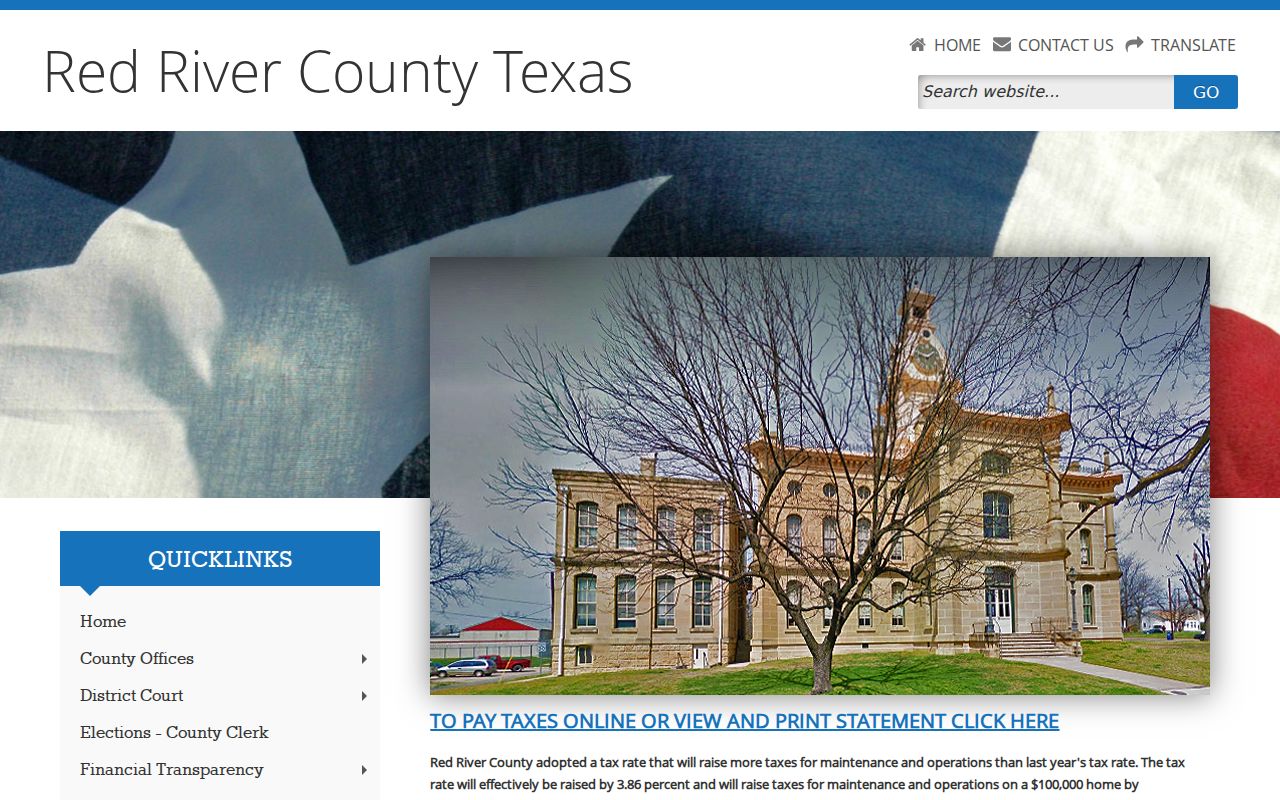
That page is county navigation, not a live docket. Open it for current links, then confirm any individual Red River County court docket with the named clerk or court.
City-by-City Court Dockets in Red River County
The five incorporated places here follow 2020 Census population. Clarksville and Bogata both show municipal-court evidence in current official sources. Detroit, Avery, and Annona turn up no separate municipal court in the directory, a source gap rather than proof that none exists. Whatever the city, read the citation first. Take the city route when the citation names a municipal court, and use the countywide JP only when it names that court.
Clarksville Court Records
2,857 · Official municipal-court contact and article index located.
Bogata Court Records
1,074 · City and OCA sources identify the municipal court.
Detroit Court Records
704 · Verify the issuing court through the city contact route.
Avery Court Records
421 · City Hall is the first verification contact.
Annona Court Records
184 · Preserve the citation and verify its named court.
Map and Directions to the Red River County Courthouse
District civil, family, felony, and title-to-land case files are kept at the Red River County Courthouse in Clarksville, where the District Clerk's office is at 400 N Walnut Street. The County Clerk keeps a separate office nearby at the Red River County Annex Building, 200 N Walnut Street, and handles constitutional County Court, probate, and misdemeanor records. The county's two district court judges list their own office addresses in Paris and New Boston, so the assigned courtroom for a specific hearing should be confirmed from the docket notice rather than assumed to be the Clarksville courthouse.
Red River County Courthouse
400 N Walnut Street
Clarksville, TX 75426
903-427-3761
Monday through Thursday, 8:00 a.m. to 5:00 p.m.; closed Friday.
Documents received after 4:00 p.m. file the next business day, and the office closes for lunch on Thursdays from noon to 1:00 p.m. No visitor parking map, security-screening policy, or accessibility statement for the courthouse has been published, so call the District Clerk at 903-427-3761 before a trip.