
How the Red River County Court Calendar Works
The District Clerk page posts separate headings for the Sixth and 102nd District Court dockets. In May 2026 it listed docket dates for both courts. Those dates are historical now. They simply show how the county posts its calendar. The clerk offers no countywide calendar feed. There is no searchable hearing API, subscription, or stable archive.
A posted docket is a session notice, nothing more. Continuances, settlements, dismissals, and courtroom swaps can all come after it. Justice Court has also relied on dated docket notices. Clarksville Municipal Court publishes an article index rather than a stable public calendar. Each source gives a clue, not a complete countywide schedule.
Red River County District Docket Posts
Two district courts serve Red River County, and each keeps its own calendar. Judge R. Wes Tidwell presides over the Sixth District Court. Judge Jeff M. Addison presides over the 102nd. Route questions through the current county pages, since older statewide directory PDFs list stale personnel.
Not sure which court posted your setting? The District Clerk can sort that out. Call 903-427-3761 with a cause number, party name, and notice. The Sixth District Court page lists 903-737-2431. The 102nd lists 903-628-6835, with coordinator Cammie Moody. Use those pages whenever a setting or courtroom needs direct confirmation.
Calendar rule: Historical docket posts show how Red River County publishes dates. They do not prove that a current case remains set.
Red River County Court Date Lookups
Use every channel you have. Begin with a filed notice or citation. For a district matter, check the District Clerk's local docket post. Then run the Hearings mode in re:SearchTX for eligible statewide data. After that, call or visit the office holding the record. A municipal citation belongs with the city court named on the ticket. A Justice Court case is different. It goes to the countywide Justice of the Peace.
- Read the notice for the court, cause number, date, and setting type.
- Check the local clerk page for a posted docket notice.
- Search re:SearchTX in Hearings mode and also review the case details.
- Call the District Clerk, court coordinator, Justice Court, or municipal clerk.
- Confirm the time, courtroom, judge, setting type, and any later change.
You can check in person at the counter during office hours. No daily printed calendar exists beyond the local page notices. Ask the clerk what is available that day.
Red River County Hearings Search
re:SearchTX keeps Cases and Hearings as separate search modes. When the question is a date, search Hearings first. Then open the related case details if available. Advanced controls let you narrow by known identifiers. Party, attorney, judge, court, case type, and date fields may appear. It depends on the screen and your access role.
| Search action | What it can answer | Limit |
|---|---|---|
| Hearings mode | Possible setting and related case | Coverage depends on local integration |
| Cases mode | Case details and listed hearings | Not every event or document is public |
| District Clerk post | Selected Sixth or 102nd docket date | Not a full archive or live feed |
| Clerk or coordinator call | Current local confirmation | Requires the correct court and identifiers |
A zero result does not cancel a setting. It may reflect a different court, a spelling issue, restricted access, historical migration, or data that has not reached the public system.
Court Settings: What Each Field Means
Read each calendar field as one part of a single setting. The court name identifies the docket owner. The cause number ties the event to the case file. Setting type explains the event's purpose, and date, time, and location tell parties when and where to respond. A judge or coordinator may be listed too. Verify the current assignment before relying on it.
| Court | The Sixth, 102nd, County, Justice, or municipal court holding the case. |
|---|---|
| Cause number | The exact case identifier used by the clerk. |
| Date and time | The scheduled call, subject to a later reset or cancellation. |
| Location | The courthouse, courtroom, or other place named in the notice. |
| Setting type | The hearing, conference, trial, arraignment, or docket call purpose. |
| Status | A pending, reset, cancelled, or completed event when the system reports it. |
Never infer the courtroom from a judge's office address. The district pages list offices in Paris and New Boston. A Red River County setting may still be held in Clarksville.
Red River County Setting Terms
Calendar language is compact. Knowing the terms helps you ask the clerk a precise question, but it never replaces the notice or a court instruction.
- Setting
- A scheduled court event, not always a trial.
- Docket call
- A session in which the court addresses a group of listed matters.
- Continuance
- A court-approved move of an event to another date.
- Reset
- A new setting entered after an earlier date changes.
- Cancellation
- A posted session or event that will not proceed as listed.
- Disposition
- The recorded outcome of a case, not merely a calendar event.
The Justice page's cancelled June 2025 debit-claim docket shows why a posted date can change. That is a local example, not a rule for other dockets.
When a Court Date Moves
A reset or continuance should produce a new instruction from the court. Public systems can lag behind it. Check the latest docket entry, notice, or clerk response. An old web post is never proof that a hearing remains set. Keep each notice. Write down the date and the name of the office that confirmed the change.
District settings go through the District Clerk. They also go through the coordinator shown on the current court page. For a Justice Court matter, call 903-427-3322. Clarksville Municipal Court routes through 903-427-3834 extension 256, and Bogata through 903-632-5315. Other city matters follow the court printed on the citation or city notice.
Note: A reset changes the schedule, not necessarily the case status or merits.
Red River County Location Checks
Both clerk offices sit along Walnut Street in Clarksville. The District Clerk is listed at 400 N Walnut Street, inside the Red River County Courthouse. The County Clerk works out of the Annex Building at 200 N Walnut Street. Each office keeps different court records. A calendar entry names the courtroom where the hearing actually happens. Trust that location over a clerk's mailing address. County offices generally post hours of Monday through Thursday, 8 a.m. to 5 p.m. They close on Friday. The District Clerk also closes for lunch on Thursday from noon to 1 p.m. Judge schedules and court sessions can differ from those office hours. Check the county notice page for operational changes. Call ahead before you drive over.
Red River County Lower-Court Dates
One Justice of the Peace court serves all of Red River County. It sits at 500 N Cedar Street in Clarksville, and the phone number is 903-427-3322. The court posts dated cancellation notices on its page rather than a standing schedule. Lower-court session changes travel that way. When you call, have the cause or citation number ready along with the date printed on your notice. Clarksville Municipal Court takes calendar questions at 903-427-3834 extension 256 or court@clarksvilletx.com. Bogata uses 903-632-5315 and secretary@cityofbogata.com. Detroit, Avery, and Annona have no separate municipal listing in the state directory. That does not mean no court exists there. Use your citation or the city contact. Confirm which venue issued the ticket and what the current setting is.
Missed Settings and What Comes Next
Call the court that set the event right away. Have the cause number, party name, scheduled time, and type of setting in hand. Ask three things. Did the hearing go forward? Did the judge enter an order? What should you do now? No single Red River County rule covers every missed civil, criminal, traffic, or probate setting. The outcome depends on the court and the case.
Do not guess from the portal: A missing or old hearing entry does not resolve a missed setting. The clerk or court must confirm the current record and next step.
If you get a new date, ask for written confirmation. Compare it against the docket. A traffic citation belongs with the issuing Justice or municipal court, never the County Clerk.
Red River County Calendar Access
Even a public docket search has limits that depend on the record type. Juvenile, sealed, confidential family, and other restricted matters may never surface in results. Texas Rule of Judicial Administration 12 sets a general framework for judicial-record access. Another law or a court order can override it. The statewide search is role-based. What documents you can see may not match what hearings you can see. Ask the clerk whether a calendar entry is public and whether the office will supply a copy. A saved re:SearchTX alert helps you track filings. It is not certified notice from Red River County.
Red River County Calendar Evidence
The District Clerk page is the official source for the local docket-posting capture below.
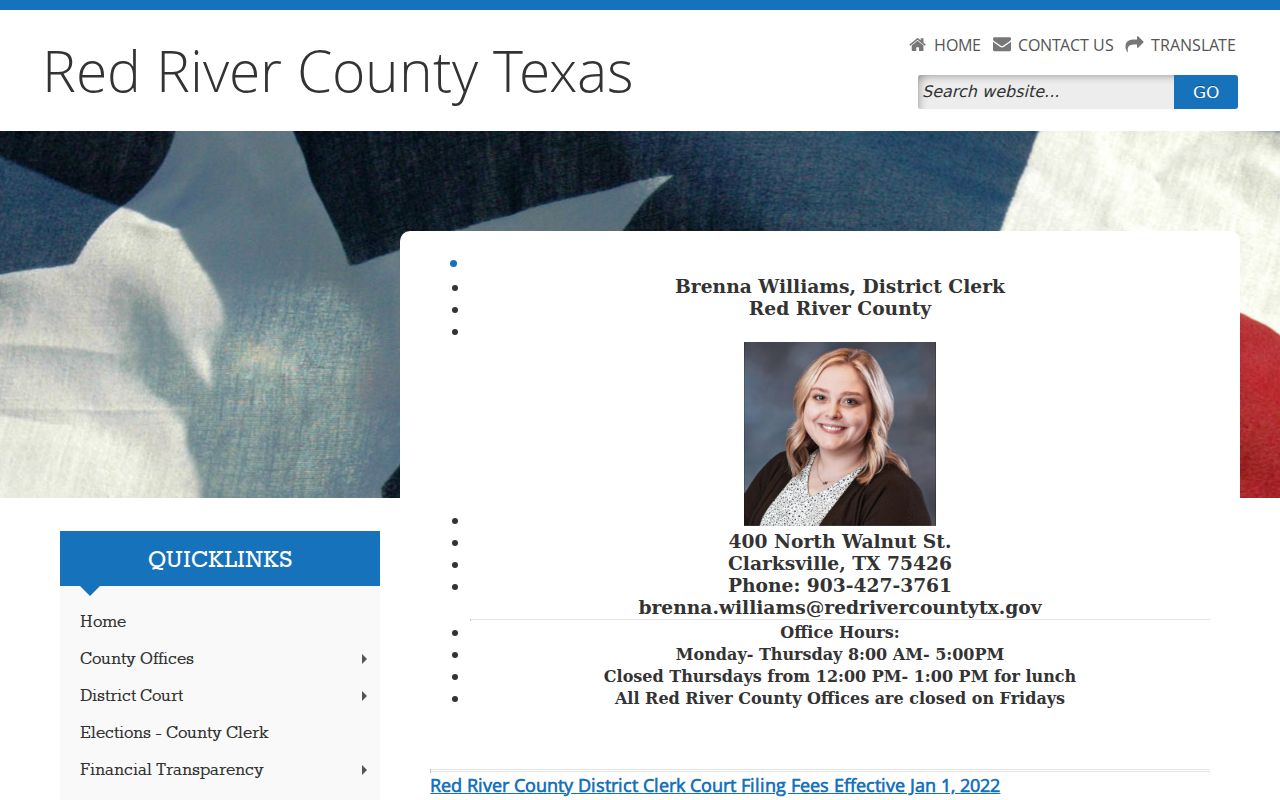
That county page documents the posting channel for docket information, and any dates it carries are time-stamped postings rather than the current calendar. The county court directory gives the wider routing view for reaching the right office.

The directory helps a searcher reach the court that can verify a setting.